Lenovo ThinkPad X1 Carbon: The Business Laptop Everyone Copies

Every business laptop launched in the last decade gets compared to the same reference point, whether the marketing admits it or not: the Lenovo ThinkPad X1 Carbon. The matte-black chassis, the red TrackPoint nub, the obsessive focus on keyboard feel over screen bezels — competitors have spent years chasing this formula, from Dell's Latitude line to HP's EliteBook range, and none of them have quite displaced it from IT departments' default purchase order. That's not nostalgia. The X1 Carbon earns the reputation in ways that are easy to overlook until you've actually lived with one for a few months of real work travel.
The keyboard is still the whole pitch
Most modern laptops treat the keyboard as a solved problem and spend their engineering budget elsewhere. The X1 Carbon does the opposite. Key travel is deeper than almost anything else in the thin-and-light category, the layout hasn't been mangled to make room for a bigger trackpad or speaker grilles, and the spacing between keys stays consistent generation after generation so muscle memory transfers cleanly from an old ThinkPad to a new one. For anyone who spends six or more hours a day typing — emails, documents, code, spreadsheets — that difference compounds across a workday in a way screen resolution or chassis material never will. It's the single clearest reason IT buyers keep specifying this exact model by name instead of a generic "business ultrabook" line item.
The TrackPoint, that small red joystick nub between the G, H, and B keys, is a genuinely divisive feature — people either love it and refuse to buy a laptop without one, or ignore it completely and use the trackpad. What's notable is that Lenovo has never removed it to save cost or simplify the design, even as competitors abandoned similar pointing-stick features years ago. That stubbornness is part of a broader pattern: the X1 Carbon is designed for people who already know what they want, not for winning first impressions in a retail store.
Durability testing that actually reflects how these get used
Lenovo runs the X1 Carbon through MIL-STD-810H military-grade testing — drops, vibration, dust, extreme temperature swings, humidity — and while plenty of laptops claim similar certifications, this one is aimed at buyers who travel constantly and hand their laptop bag to airport security, rental car staff, and hotel bellhops multiple times a week. The chassis uses a carbon-fiber-reinforced weave that keeps weight under 2.5 pounds on most configurations without the flex and creak that thin magnesium-alloy laptops develop after a year of being crammed into backpacks. Compared to the Dell XPS 13, which prioritizes a more premium-feeling glass-and-aluminum build, the X1 Carbon trades a bit of visual polish for a chassis that shrugs off the abuse business travel actually inflicts.
Where it falls short of a pure creator or gaming laptop
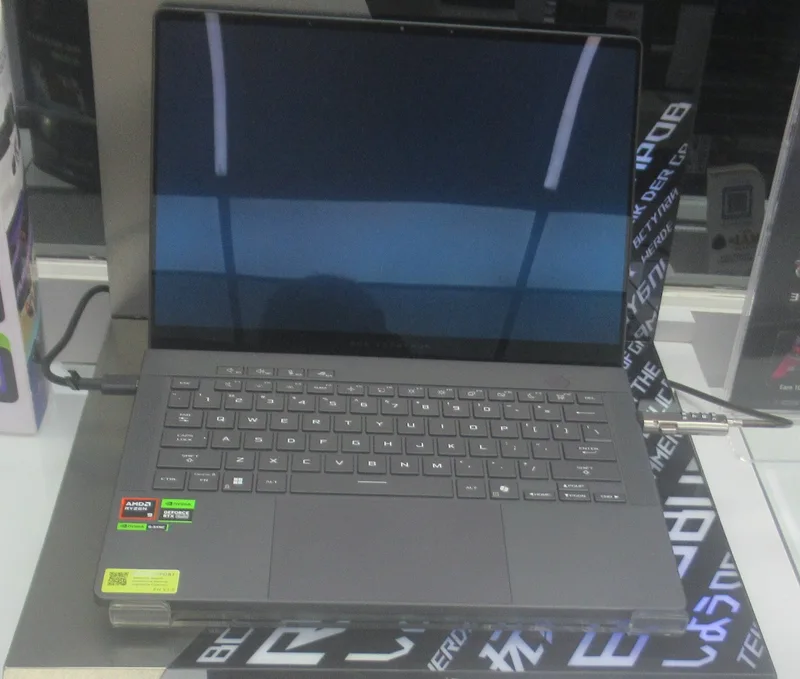
This is not the machine to buy for video editing or gaming, and Lenovo doesn't pretend otherwise. Integrated graphics handle office work, video calls, and light photo editing fine, but anything demanding — the kind of workload the ASUS ROG Zephyrus G14 was built for — will bottleneck immediately. Display quality is good but not spectacular: color accuracy is solid enough for general use and even casual photo review, but it doesn't reach the reference-monitor territory that dedicated creative laptops chase, a gap we covered in more depth comparing the MacBook Pro against the Dell XPS 13 for creative work. If your primary use case is content creation rather than document work, spreadsheets, and video calls, this isn't the right laptop regardless of how good the keyboard is.
Repairability sits in an unusual middle ground
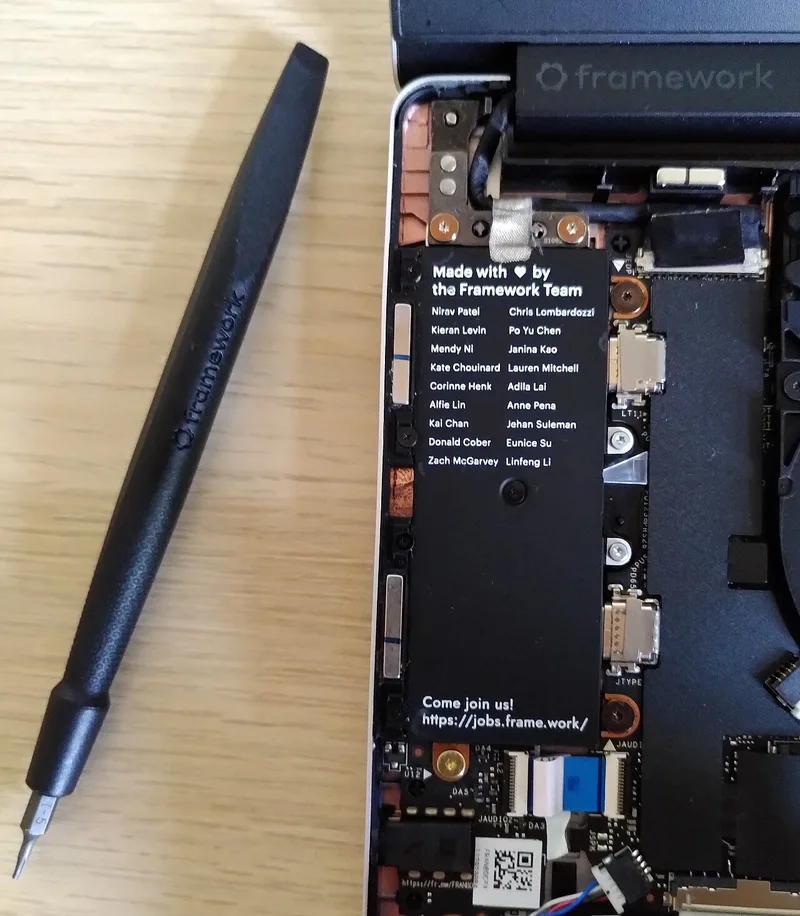
Unlike the fully modular approach of the Framework Laptop, the X1 Carbon isn't designed for end-user component swaps as a selling point. But it's far more serviceable than most ultra-thin competitors: RAM is soldered on most configurations (a real downside worth knowing before you buy, since you can't upgrade later), but the keyboard, battery, and storage are replaceable by an authorized technician without the specialized tools or adhesive-removal process that thin consumer laptops require. Lenovo also publishes official service manuals, which matters enormously for corporate IT departments doing their own repairs at scale rather than shipping every unit out for warranty service.
Battery life and the everyday travel test
Real-world battery life lands in the 10-13 hour range under typical office workloads — web browsing, document editing, video calls, email — which is enough to survive a full workday and most transcontinental flights without hunting for an outlet. It doesn't match the multi-day battery claims of the newest ARM-based Windows machines, but it comfortably beats most Intel-based competitors in its weight class, and fast-charging support means a short airport layover can meaningfully top up the battery before a connecting flight.
Price and configuration reality
List prices on the X1 Carbon look steep next to consumer ultrabooks, but that number is rarely what businesses actually pay. Lenovo runs frequent discounts on its commercial store, and the machines most IT departments buy in volume land closer to mid-range pricing once negotiated fleet discounts are applied — a detail that skews a lot of online price comparisons that only look at retail list price. Where the sticker shock is real is in configuration choices: upgrading RAM or storage at checkout costs meaningfully more than buying the equivalent component separately, which is standard across the industry but worth knowing before you assume the base configuration is the "real" price. Because RAM is soldered, it's worth paying for the higher tier up front rather than assuming you'll manage with less and upgrade later, since that option simply doesn't exist on this chassis.
Port selection is another area where the X1 Carbon splits from the ultra-thin consumer trend: it typically keeps a full-size HDMI port and at least one traditional USB-A port alongside Thunderbolt/USB-C, a small but genuinely useful concession to the reality that business travelers still routinely plug into conference-room projectors and older peripherals that haven't caught up to USB-C. It's a small thing, but it's exactly the kind of practical detail that separates a laptop designed by people who've sat through a thousand client meetings from one designed purely to look thin in a product photo.
Who should actually buy this
The X1 Carbon makes the most sense for people who type for a living and travel enough that a laptop's durability and keyboard feel matter more than raw graphics power or premium display specs: consultants, lawyers, sales teams, engineers who live in terminal windows and documentation rather than creative software. If that's not your profile — if you edit video, play games, or mostly work from a single desk — there are better-suited laptops elsewhere in this category. But for the specific job it was built to do, the X1 Carbon remains the laptop other business machines are still trying to copy, a decade and a half after Lenovo settled on the formula.