MacBook Pro vs Dell XPS 13: Which Should Creators Actually Buy
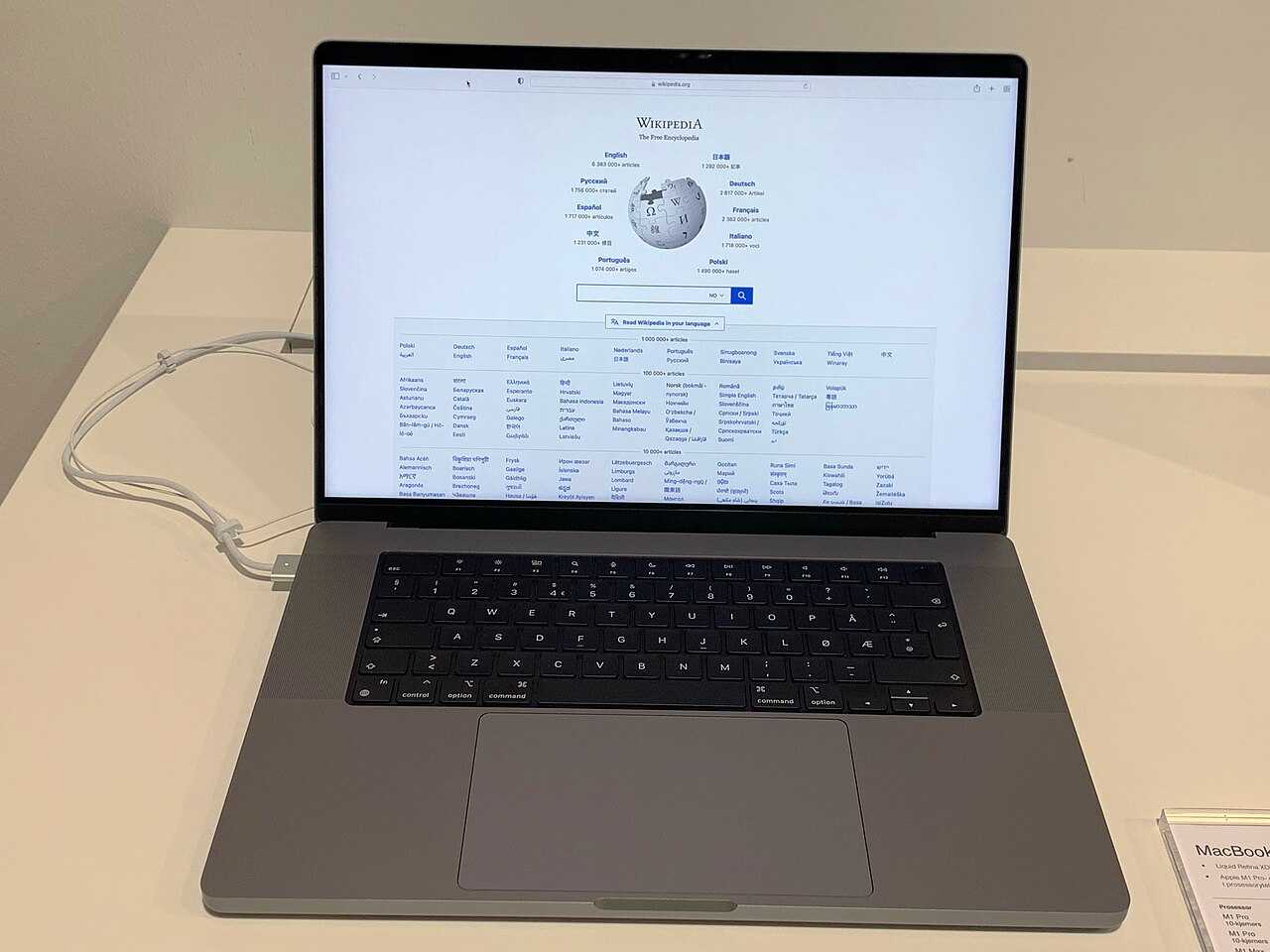
Creators buying a laptop today are really choosing between two different philosophies of "good enough for professional work." The MacBook Pro, with Apple Silicon, has become the default recommendation for video editors and photographers who live inside Final Cut Pro, Lightroom, and Logic Pro. The Dell XPS 13, meanwhile, remains the laptop most often recommended to Windows-committed creators who need a thin, well-built machine without switching their whole software stack. Neither is a wrong choice, but the tradeoffs are bigger than most buying guides admit.
Raw performance for actual creative work
The MacBook Pro's advantage in creative workloads isn't really about raw benchmark numbers — it's about how consistently Apple Silicon performs under sustained load. Export a long 4K timeline in Final Cut Pro and the MacBook Pro's performance barely dips from the first minute to the last, thanks to efficient cores handling background tasks while the performance cores stay dedicated to the export. The unified memory architecture also means large Photoshop or DaVinci Resolve projects don't suffer from the constant data-shuffling between separate CPU and GPU memory pools that traditional laptop architectures still deal with.
The Dell XPS 13 is built around Intel's latest mobile chips, and while modern Intel silicon is genuinely fast in short bursts, thermal throttling is the honest limitation of the XPS 13's thin chassis. A 45-minute video export on the XPS 13 will start faster than you'd expect but can lose 15-20% of its performance by the end as the laptop's slim cooling system runs out of headroom. For creators doing occasional light editing, that's rarely noticeable. For anyone exporting long-form video regularly, it's a real difference.
Display quality actually matters more than either spec sheet suggests
Color accuracy out of the box is where the MacBook Pro pulls distinctly ahead for photo and video work. Apple's factory calibration and the mini-LED display on higher configurations produce deep blacks and consistent color across the panel that professional colorists and photographers can trust without an external calibrator for a lot of everyday work. The Dell XPS 13's display is genuinely good — sharp, bright, accurate enough for most content — but it doesn't hit the same reference-monitor territory the Pro-tier MacBook Pro does, and Dell doesn't ship the same level of per-unit factory calibration.
Where the XPS 13 claws some of that back is in the flexibility of external display support and the sheer density of ports relative to its size in some configurations, which matters if your workflow involves plugging into a color-accurate external reference monitor rather than trusting the laptop's own screen for final judgment calls anyway.
Software ecosystem is the decision most creators actually get wrong
The temptation is to frame this as a hardware decision, but for most creators it's really a software decision wearing a hardware costume. If your workflow is built around Final Cut Pro, Logic Pro, or Apple's own creative suite, the MacBook Pro isn't just faster — those apps simply don't exist on Windows, so the XPS 13 isn't a real alternative regardless of its specs. If your workflow depends on specific Windows-only plugins, certain audio interfaces with driver support that lags on Mac, or software your studio or team standardized on years ago, the calculation flips entirely and the MacBook Pro's performance advantage becomes irrelevant because you can't run your actual tools on it without compatibility workarounds.
Cross-platform tools like Adobe's Creative Cloud suite, DaVinci Resolve, and most modern DAWs blur this line somewhat, and for creators using primarily those, the decision genuinely does come down to the hardware and workflow preferences discussed above rather than software lock-in.
Battery life and portability for creators who work outside a studio
The MacBook Pro's battery life during actual creative work — not idle browsing, but real editing sessions — is meaningfully longer than the XPS 13 can manage, often by several hours in a typical editing day. That matters more than spec sheets suggest if your work involves client shoots, travel, or editing on location without guaranteed access to power. The XPS 13 is lighter and more compact in absolute terms, which some creators moving between locations frequently will value over the MacBook Pro's longer runtime.
Keyboard, trackpad, and the small things you use all day
These details rarely make it into spec-sheet comparisons but matter enormously for anyone typing notes, editing timelines with keyboard shortcuts, or fine-tuning selections with a trackpad for hours at a stretch. The MacBook Pro's trackpad is still the benchmark the rest of the industry gets measured against — its size, palm rejection, and haptic click feel consistent in a way that makes precise selection work in editing software noticeably less fatiguing over a long day. The XPS 13's trackpad is good by Windows-laptop standards, which is a real compliment given how uneven that category can be, but it doesn't quite match Apple's in the fine-motor-control tasks creative work demands.
Keyboard feel is closer to a toss-up. The XPS 13's keyboard has slightly more key travel, which some people find more comfortable for long writing or note-heavy sessions, while the MacBook Pro's keyboard prioritizes a quieter, shorter action that suits open-plan studios and shared editing bays where noise matters.
Price and what you're actually paying for
Comparably specced, the two machines land close enough in price that the decision rarely comes down to raw cost — it comes down to what you get for that cost. The MacBook Pro's price includes Apple's tightly integrated hardware-software optimization, meaning the performance-per-dollar in creative apps tends to be higher even when the sticker price looks similar. The XPS 13's price includes more flexibility: easier access to third-party repair options in most regions, a wider range of external peripheral compatibility without dongles for certain port types, and the ability to run the much larger library of Windows-only creative and utility software that some studios still standardize around. Neither machine is the objectively cheaper option once you factor in your actual software needs — it's a question of which ecosystem's costs you're more willing to accept.
The actual recommendation
Choose the MacBook Pro if your software stack is Apple-native or cross-platform, if sustained export performance and color-accurate visuals matter daily, and if working untethered from a power outlet for a full shoot day is part of your routine. Choose the Dell XPS 13 if you're locked into Windows-only tools, prefer a more traditional laptop form factor, or simply don't want to relearn a different operating system's workflow habits mid-career. The performance gap is real, but for most creators, software compatibility — not raw speed — is what actually decides this question.