Integrated vs Dedicated GPU: Do You Actually Need a Graphics Card in Your Laptop?
Every laptop configurator eventually asks the same question in different words: do you want integrated graphics, or do you want to pay more, carry more weight, and accept shorter battery life for a dedicated GPU? The honest answer depends entirely on what the laptop is actually for, and a surprising number of buyers pay for graphics power they'll never use — or skip it and regret it within a year. Understanding what an integrated GPU versus a dedicated GPU actually changes under the hood makes that decision much easier.
What "integrated" actually means
An integrated GPU lives on the same silicon package as the CPU and shares the laptop's main system memory instead of having its own dedicated pool of video RAM. Every major laptop chipmaker ships one: Intel's Arc-branded integrated graphics, AMD's Radeon graphics built into its Ryzen mobile chips, and Apple's GPU cores built directly into its M-series silicon. Because the integrated GPU shares a power and thermal budget with the CPU, it's fundamentally more limited in raw performance, but it's also dramatically more power-efficient, which is the entire reason thin laptops default to it.
What a dedicated GPU adds
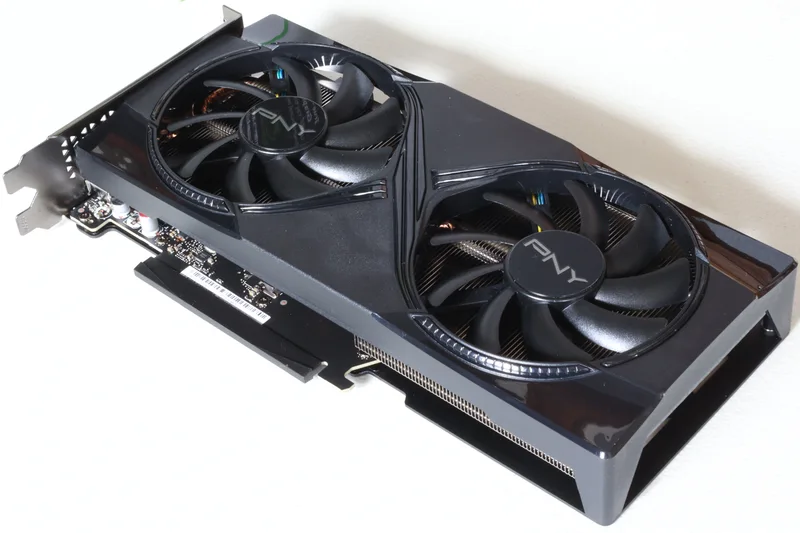
A dedicated (or "discrete") GPU is a separate chip — often literally a separate circuit board — with its own dedicated video memory, its own cooling solution, and its own power draw that stacks on top of whatever the CPU is already using. This is where laptop graphics cards like NVIDIA's GeForce RTX lineup live. Because a dedicated GPU isn't sharing a thermal or memory budget with the CPU, it can be built with dramatically more processing cores and run them harder, which is why even a modest laptop-class dedicated GPU usually outperforms the best integrated graphics by a wide margin in demanding 3D workloads.
The real cost of a dedicated GPU
None of that extra performance is free. A dedicated GPU adds meaningful weight and thickness because it needs its own cooling — usually a second heat pipe and fan assembly separate from the CPU's. It adds real cost to the bill of materials, which is why gaming and creator laptops with a discrete GPU routinely cost several hundred dollars more than an otherwise similar configuration without one. And it is the single biggest reason a "gaming laptop" gets noticeably worse battery life than a thin-and-light with integrated graphics only — a dedicated GPU under load can draw as much power on its own as the rest of the laptop combined. It's also a major factor behind laptop thermal throttling, since cramming a hot-running discrete GPU next to a hot-running CPU inside a thin chassis makes heat management genuinely difficult.
Who actually needs a dedicated GPU
The clearest case for a dedicated GPU is PC gaming at anything beyond casual, older, or heavily optimized titles — modern games at 1080p or higher resolution with reasonable detail settings generally need discrete-GPU-level performance to hit smooth frame rates. The second clear case is GPU-accelerated creative and technical work: 3D rendering, video editing with GPU-accelerated effects and export encoding, CAD software, and machine-learning workloads that specifically use GPU acceleration all benefit directly and substantially from a dedicated GPU's extra compute power and dedicated video memory.
Who doesn't need one
If a laptop's heaviest workload is web browsing, office documents, video calls, coding that isn't graphics-heavy, or media playback, a dedicated GPU is very likely wasted money and wasted battery life. Modern integrated graphics — particularly Apple's M-series GPUs and Intel's and AMD's latest integrated offerings — are genuinely capable of smooth everyday use, light photo editing, and even casual or older gaming at modest settings, tasks that would have required a discrete GPU a decade ago. Creators doing lighter work, like photo editing in apps that lean mainly on the CPU, often find integrated graphics perfectly adequate too, especially paired with a strong CPU like the ones compared in our laptop CPU buying guide.
The messy middle: "gaming-capable" ultrabooks
A growing category of thin laptops now ships a lower-power dedicated GPU — an entry-level discrete chip rather than a top-tier one — specifically to offer "some" gaming capability without the bulk of a full gaming laptop. These are a reasonable compromise if occasional gaming matters but portability matters more, though buyers should go in with realistic expectations: an entry-level discrete GPU in a thin chassis will typically need to run games at lower resolutions or reduced detail settings to stay smooth, and it will still cut noticeably into battery life whenever it's active. Laptops like the ASUS ROG Zephyrus G14 sit at the more capable end of this spectrum, built specifically to double as both a daily driver and a genuine gaming machine.
Checking what you're actually buying
Two practical checks matter before buying. First, confirm whether a laptop's dedicated GPU can actually be used at full power — some ultra-thin designs include a discrete GPU but power-limit it so heavily that real-world performance barely beats integrated graphics, especially unplugged from AC power. Manufacturers publish a maximum graphics power (often listed in watts) for the same GPU model across different laptops, and that number can vary substantially between a thin ultrabook and a thicker gaming chassis using the identical chip, which is why two laptops with the same GPU name on the spec sheet can perform quite differently. Second, check dedicated video memory (VRAM) if the workload is demanding; 8GB is now a reasonable minimum for serious gaming or creative work, with less becoming a bottleneck in newer, more memory-hungry games and applications well before the GPU's core processing power runs out.
Battery life with the dedicated GPU idle
Most laptops with a dedicated GPU use a switching system that automatically routes lighter tasks — web browsing, video playback, office work — to the integrated GPU instead, keeping the power-hungry discrete chip fully asleep until something demanding actually launches. When this switching works well, day-to-day battery life on a dedicated-GPU laptop can come reasonably close to an integrated-only machine, since the discrete GPU genuinely draws close to zero power while idle. When it works poorly — due to buggy drivers or an application incorrectly triggering the discrete GPU for undemanding work — battery life can suffer even when nothing graphically intensive is actually happening, which is worth checking in independent reviews rather than assuming from the spec sheet alone.
The bottom line
A dedicated GPU is a specialized tool, not a universal upgrade. It earns its cost, weight, heat, and battery drain specifically for gaming and GPU-accelerated creative or technical work — and for almost everything else, modern integrated graphics are not the compromise they used to be. The right question isn't "should I get a graphics card," it's "does anything I actually do with this laptop need one," and for a large share of buyers, the honest answer is no.