Laptop Thermal Throttling Explained: Why Your Laptop Slows Down Under Load
A laptop that looks fast in a five-minute benchmark can still bog down noticeably twenty minutes into a video export, a long gaming session, or a big compile job, and the reason almost always comes down to heat. Thermal throttling is the deliberate process by which a laptop's CPU and GPU slow themselves down once they get too hot to protect the hardware from damage, and it's one of the most consequential differences between laptops that never shows up clearly on a spec sheet. Understanding how it works explains why two laptops with identical processor model numbers can deliver very different real-world performance.
What's actually happening when a laptop throttles
Modern CPUs and GPUs are built with safety limits baked into their firmware: a maximum temperature, typically somewhere around 100°C for a laptop CPU, that the chip is never allowed to cross. As internal temperature climbs toward that ceiling under sustained load, the chip automatically lowers its clock speed, and therefore its performance, to generate less heat and keep temperatures in check. This isn't a malfunction, it's the system working exactly as designed to prevent permanent damage, but it means the eye-catching peak clock speed advertised for a chip is really a short-term burst number, not a figure the laptop can sustain for more than a minute or two under real, continuous load.
Why thin laptops throttle more than thick ones
Cooling a laptop chip means moving heat away from the silicon fast enough to keep pace with how much it's generating, and that process depends almost entirely on physical space: the size of the heat pipes, the surface area of the heatsink fins, the airflow a fan can move, and increasingly, whether the laptop uses a vapor chamber cooling design that spreads heat across a wider area than a traditional heat pipe can. A thin-and-light ultrabook like the Dell XPS 13 simply doesn't have room for the cooling hardware a bulkier chassis can fit, which is part of the tradeoff that comes with chasing a slim, light design, sustained performance is usually the first thing to give.
Gaming laptops aren't immune either
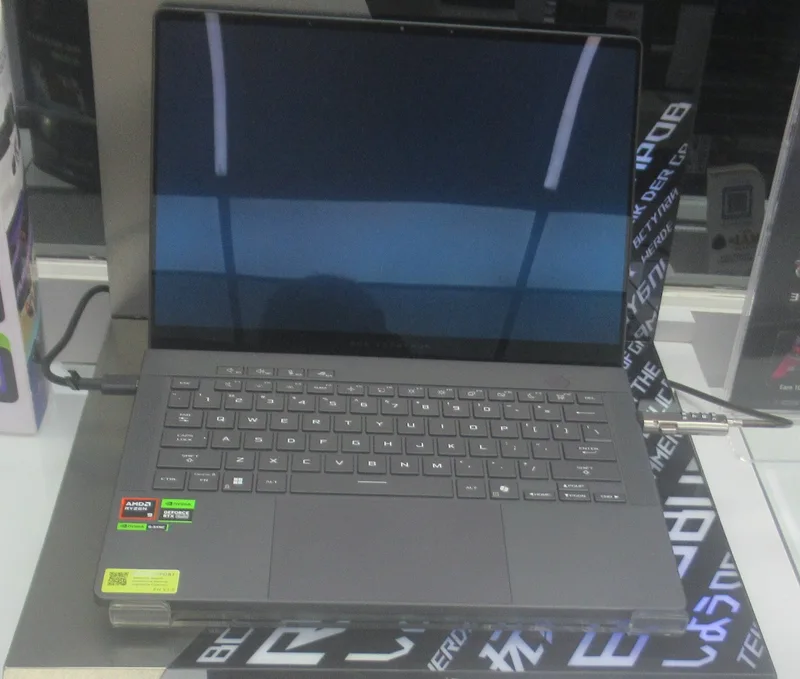
It's a common assumption that a gaming laptop, with its larger chassis and more aggressive cooling, simply doesn't throttle the way a thin ultrabook does, but that's only partly true. Gaming laptops typically ship with far more powerful CPUs and GPUs that generate significantly more total heat, so even with better cooling hardware, many still throttle under a long, demanding session, just from a higher performance ceiling. This is exactly the balancing act discussed in our review of the ASUS ROG Zephyrus G14, where a compact gaming chassis has to manage real heat output from genuinely powerful components within a footprint that's still meant to be portable enough for daily carry.
Power limits: the setting doing most of the work
Behind the scenes, manufacturers configure two key power limits for most modern chips, commonly referred to as PL1 and PL2 on Intel systems and their equivalents on AMD platforms: a sustained power limit the chip can maintain indefinitely, and a higher short-term boost limit it can hit briefly before dropping back down. A laptop maker can tune these limits more or less aggressively depending on the chassis's cooling capacity and how loud they're willing to let the fans get, which is why the exact same CPU model can perform noticeably differently in two different laptops, the chip itself isn't the only variable, the power and thermal configuration the manufacturer chose around it matters just as much.
Why benchmark numbers alone can be misleading
A short synthetic benchmark, the kind most spec-sheet comparisons and quick reviews rely on, often measures a laptop during its brief boost window before sustained heat has built up, producing a number that looks impressive but doesn't reflect how the machine performs twenty minutes into a real workload. This is the same gap covered in our explainer on why laptop battery life on the spec sheet rarely matches reality, marketing numbers tend to reflect best-case, short-duration scenarios rather than the sustained conditions most people actually experience day to day. The more reliable signal is a review that specifically tests sustained performance over a longer session, or reports the difference between a laptop's first-minute and twentieth-minute benchmark scores under identical load.
The physical warning signs
Thermal throttling usually announces itself before you ever check a benchmark: fan noise ramping up noticeably and staying loud, the keyboard deck or bottom panel getting uncomfortably warm, and a subtle but real drop in responsiveness or frame rate the longer a demanding task runs. None of these are necessarily signs of a defective laptop, they're often just the visible evidence of the cooling system working at its limit, but a laptop that hits these signs within just a minute or two of moderate work, rather than only during extended heavy workloads, is generally under-cooled for the components inside it.
What you can actually do about it
A few practical habits meaningfully reduce throttling on a laptop that already runs hot: using it on a hard, flat surface rather than a bed or couch cushion that blocks the intake vents, using a cooling pad with its own fan for extended sessions, keeping the vents themselves free of dust buildup, and where the manufacturer's software allows it, manually adjusting the power limits to trade a bit of peak performance for lower sustained temperatures and quieter, more consistent operation. None of these turn a thin ultrabook into a workstation, but they can meaningfully narrow the gap between a laptop's advertised performance and what it actually delivers during the long sessions where throttling matters most.
Why this matters when you're shopping
The practical takeaway for anyone buying a new laptop is to look past the processor model number and toward how reviewers describe its behavior under sustained load specifically, the same instinct that matters when evaluating whether a laptop's on-chip NPU can handle AI workloads without straining the rest of the system, since AI acceleration hardware tends to run notably cooler than pushing the same task through the CPU or GPU, one more reason chip architecture, not just the headline clock speed, increasingly determines what a laptop can actually sustain rather than just briefly demonstrate.