Chromebooks in 2026: Are They Still Just for Browsing?
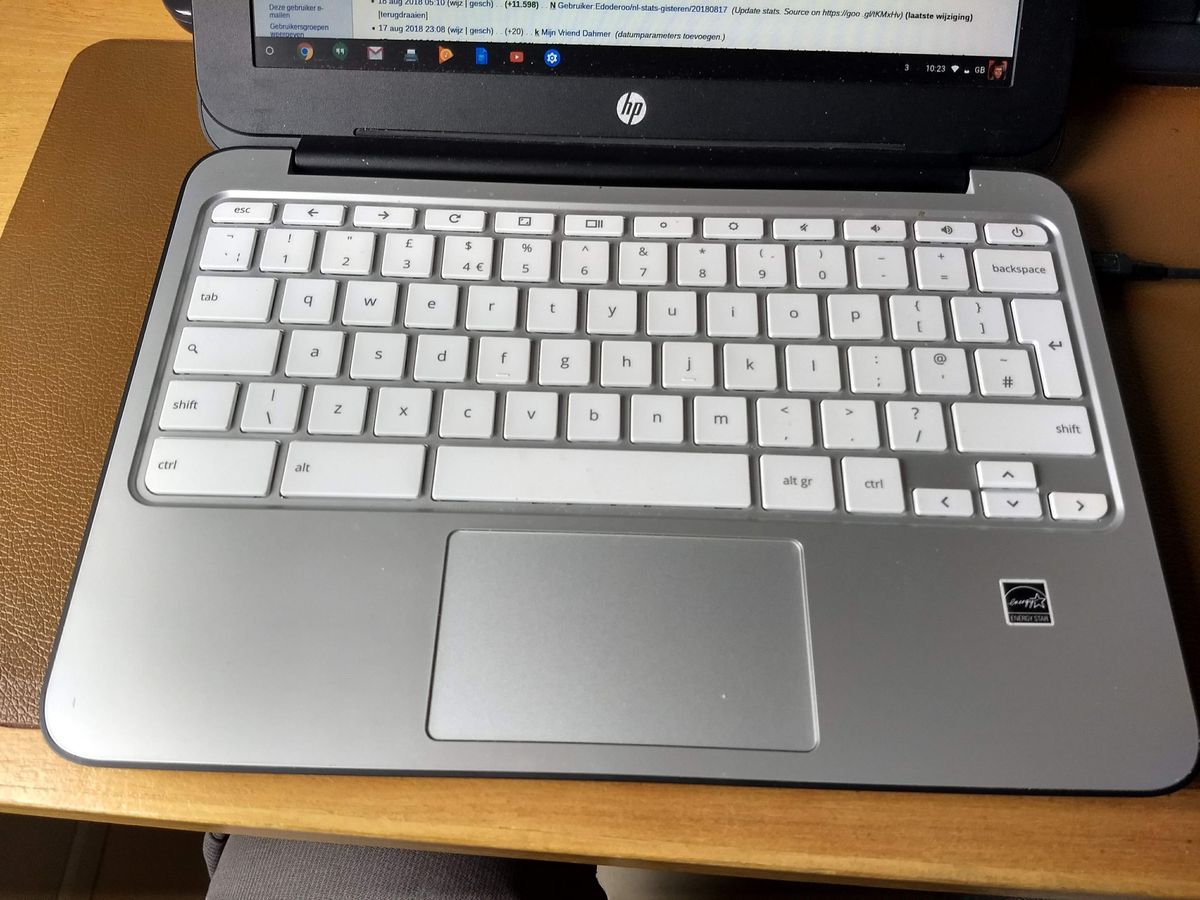
Chromebooks earned a reputation in their early years as underpowered browser boxes — fine for a school computer lab, not serious enough for real work. That reputation has aged badly. Modern Chromebooks, especially the mid-range and premium tiers launched over the past two years, run a genuinely capable operating system that handles offline documents, Android apps, and even a real Linux development environment, alongside the browser tab that gave the category its stereotype in the first place. The question in 2026 isn't whether a Chromebook can do more than browse — it clearly can — it's which specific kinds of buyers actually benefit from that shift and which ones are still better served by a traditional Windows or macOS laptop.
What ChromeOS Actually Does in 2026
ChromeOS today is built around three overlapping layers rather than a single browser window. The base layer is still the Chrome browser and web apps, which now cover most everyday software needs — email, document editing through Google Docs or the web versions of Microsoft Office, video calls, streaming, and banking. Layered on top is full Android app support through the Play Store, which means Chromebooks run the same mobile apps as a phone, including most photo editors, messaging apps, and mobile games, with reasonable performance on the more capable chips. The third layer, aimed at a smaller but real audience, is a built-in Linux container that lets developers run a real terminal, install command-line tools, and write and test code locally — something that would have been unthinkable on a Chromebook a decade ago.
The practical effect of these three layers together is that a Chromebook can genuinely replace a full laptop for a large share of daily computing tasks, not just simple ones. Where it still falls short is native desktop software: full Adobe Creative Cloud apps, professional CAD or video-editing suites, and most PC games either don't run at all or run through compromised cloud-streaming workarounds rather than natively, which is the real dividing line for who should and shouldn't buy one.
Who a Chromebook Is Actually Right For
The clearest fit is anyone whose computing life is already mostly lived inside a browser and a handful of common apps: students, people who work primarily in Google Workspace or web-based tools, and anyone who wants a lightweight secondary or travel laptop that boots in seconds and doesn't need constant software updates and antivirus management. Battery life is a genuine, consistent Chromebook advantage — the lighter operating system and typically lower-power ARM or efficiency-focused Intel chips routinely deliver 10 to 14 hours of real-world use on mid-range and premium models, noticeably longer than most comparably priced Windows laptops manage under similar conditions.
Price is the other structural advantage. A genuinely good Chromebook — solid build quality, a decent 1080p or higher screen, 8GB of RAM, and all-day battery life — is available for $300 to $500, a price range that gets you a considerably worse Windows laptop in terms of screen quality, build materials, and battery life, because ChromeOS's lower hardware demands let manufacturers put more of the budget into the physical components rather than the processing power needed to run a full desktop OS smoothly.
Where Chromebooks Still Fall Short
The honest limitations start with software compatibility. Anyone who needs a specific piece of professional Windows or macOS software — accounting programs, engineering tools, most PC games, the full desktop versions of Adobe's creative suite — simply cannot run it locally on ChromeOS, full stop, and cloud-streaming alternatives depend on a strong, low-latency internet connection that isn't available everywhere. Offline capability has improved significantly, with Google Docs, Sheets, and Gmail all working reasonably well without a connection now, but it's still a step behind a native desktop app's offline behavior, and heavier offline workflows like large local file management or offline video editing remain genuinely awkward.
Storage is the other recurring complaint. Most Chromebooks still ship with 64GB to 128GB of storage, reflecting the platform's cloud-first design philosophy, which is comfortable for cloud-centric use but tight for anyone who wants to keep a large local media or photo library. That's a similar trade-off to the one phone buyers face — our guide to how much RAM and storage you actually need covers the same underlying question of matching storage to how you actually use a device, not to a spec-sheet number, and the logic largely carries over here.
Why Schools and Businesses Keep Choosing Them
Chromebooks dominate the education market for reasons that go beyond price. Centralized management through Google's admin console lets an IT department configure, lock down, and update thousands of devices remotely with minimal per-device effort, and because most of the operating system and apps live in the cloud, a lost or damaged unit is quick and cheap to replace without losing any of a student's actual work. Security is a related, underrated advantage: ChromeOS's sandboxed app architecture and automatic, forced background updates mean there's essentially no traditional virus or malware ecosystem targeting the platform the way there is for Windows, which matters enormously for a fleet of devices handed to people who aren't managing their own security. Businesses have started borrowing the same logic for front-line and shared-device roles — reception desks, retail kiosks, call-center workstations — where the software needs are narrow, the device needs to be easy to wipe and reassign, and full desktop software was never actually required in the first place.
Chromebook vs a "Real" Laptop: The Actual Decision
The decision point isn't Chromebook versus Windows in the abstract, it's a specific question: does your daily work depend on any software that only runs natively on Windows or macOS? If the honest answer is no, a well-reviewed Chromebook will likely feel faster, lighter, and more reliable day to day than a similarly priced Windows machine, for less money. If the answer is yes — even for one or two specific programs — a Chromebook will be a persistent source of friction no matter how good everything else about it is, and a lightweight Windows option is the better starting point, such as the repairable, upgrade-friendly approach taken by the Framework Laptop or the business-focused durability of something like the Lenovo ThinkPad X1 Carbon, both of which trade some of ChromeOS's simplicity for full native software compatibility.
The category has genuinely earned a second look from anyone who dismissed it years ago. It's no longer "just for browsing" — it's a real, capable operating system with real limitations, and the right call depends entirely on whether those specific limitations touch your actual workflow.