Samsung Galaxy S24: The AI Features That Actually Survive Daily Use
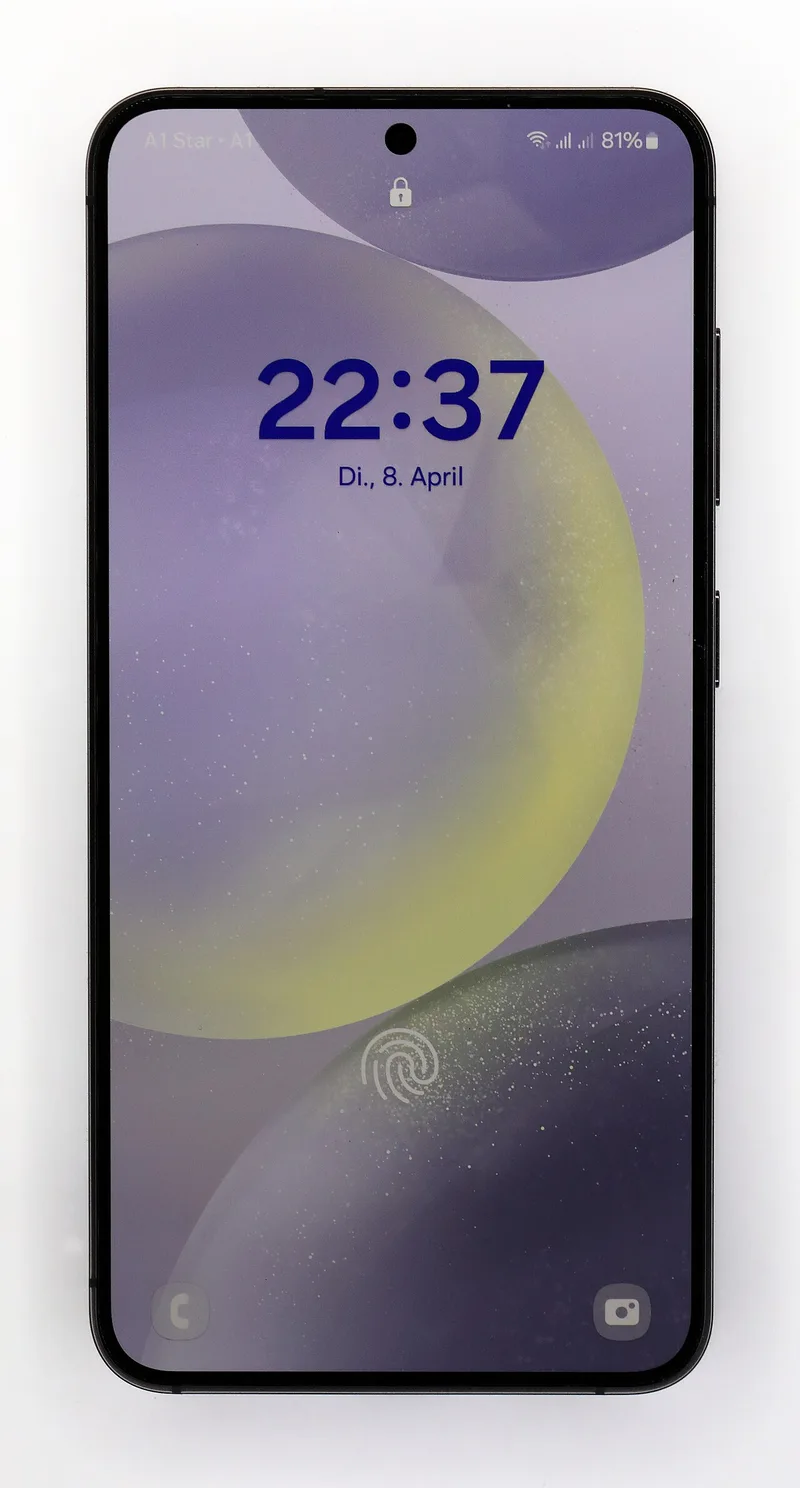
Samsung bundled the Galaxy S24 series launch with a big "Galaxy AI" push — a long list of features announced all at once, the kind of launch-day flood that usually means most of them quietly disappear from daily use within a few months. A year on, that hasn't fully happened: three of those features have proven genuinely sticky rather than launch-day novelties, and understanding which ones actually earn a place in daily use is more useful than the original marketing slide.
Circle to Search: the feature that actually removes steps
Circle to Search, built jointly with Google, lets you circle, scribble, or tap anything on screen — a product in a photo, a phrase in a group chat, a landmark in a video — and get a Google search result without switching apps or copying text manually. It's the rare AI feature that saves real steps instead of adding a prompt box you have to remember to use. Where it shines specifically is mid-conversation: seeing an unfamiliar term in a text message, circling it, and getting an answer without leaving the messaging app at all removes an entire app-switching cycle that used to be the default way of looking something up on a phone.
Live Translate and Chat Assist: quietly useful, not flawless
Live Translate works directly inside the native Phone app, translating both sides of a call in near-real time with the transcript shown on screen as the conversation happens. It's not flawless with fast speech or heavy accents — anyone expecting broadcast-quality interpretation will be disappointed — but for scheduling, basic customer-service calls, and simple conversation, it removes a genuine barrier that previously required a separate translation app or a third person on the line. Chat Assist, which offers tone adjustments and translation for typed messages, is a smaller feature but useful for the same reason: it operates inside the keyboard you're already using rather than requiring a copy-paste round trip through a separate app.
Hardware changes that outlasted the AI headlines
It's easy to let the AI feature list dominate the conversation around a phone launch and overlook the parts of the design that end up mattering just as much a year later. The Galaxy S24 Ultra's titanium frame and flatter display edges — a change from the curved edges of the S23 Ultra — also made the phone noticeably easier to hold one-handed despite keeping the same 6.8-inch screen size. The S Pen remains the S24 Ultra's clearest differentiator against phones like the iPhone 16 Pro Max: no other current flagship in this size class ships with an included stylus, and for anyone who takes handwritten notes or marks up PDFs regularly, that's a category of use no software feature replicates. It's worth weighing directly against competing ecosystems before assuming Galaxy AI alone justifies the purchase — our Galaxy S24 vs Xiaomi 14 camera comparison and Galaxy Z Fold vs Pixel Fold breakdown both dig into how Samsung's broader lineup stacks up against the alternatives.
How Galaxy AI compares to the assistants it's built on
Several Galaxy AI features, including parts of the writing and search tools, are powered by a mix of Samsung's own models and Google's Gemini, run partly on-device and partly in the cloud depending on the task's complexity. That's a meaningfully different approach than a single dedicated assistant app, and it's worth understanding the distinction if you're deciding between relying on Galaxy AI's built-in tools versus installing a standalone assistant — our Gemini vs ChatGPT workflow comparison is a useful reference point for how the underlying models actually differ in day-to-day use, even though Galaxy AI wraps that intelligence in phone-specific shortcuts rather than a general chat interface. Samsung has so far kept the core Galaxy AI feature set free for the S24 generation through its committed update window, even as some competitors have begun experimenting with subscription tiers for more advanced assistant features — a policy worth rechecking closer to your own upgrade point, since pricing for AI features industry-wide is still very much in flux.
Software support and long-term value
Samsung has committed to seven years of OS and security updates on the S24 line, matching Google's Pixel policy and putting real pressure on Apple's historically stronger — but not formally guaranteed in writing — update track record. That commitment matters more than it might initially seem: it means Galaxy AI features are also guaranteed to keep receiving updates and new capabilities over that same window rather than being frozen at their 2024 launch-day feature set, which has already proven true given how much Circle to Search and Live Translate have improved since the phone first shipped.
The features that quietly faded
Not every Galaxy AI feature from the launch keynote earned a permanent place in daily use, and it's worth naming a few honestly rather than pretending the whole suite was a hit. Instant Slow-Mo, which used AI to generate slow-motion frames from normal video after the fact, is a fun demo but rarely something people reach for outside of a handful of showcase moments. Generative Edit, Samsung's photo object-removal and repositioning tool, is genuinely useful but overlaps heavily with similar tools Google already ships on Pixel phones and Apple has since added to iOS, so it's less of a Samsung-specific differentiator than it seemed at launch. Note Assist's AI-generated cover images and auto-formatting are the kind of feature most people try once, are mildly impressed by, and then never open again — a pattern common to almost every phone maker's first wave of generative AI features, not unique to Samsung.
The bottom line on Galaxy AI
Buyers who skip past the marketing language and focus on the features that actually changed daily habits — Circle to Search, Live Translate, and the S Pen's software integration — get a clearer picture than the original feature-list approach suggested. The rest of the Galaxy AI suite ranges from mildly convenient to rarely touched, which is a normal outcome for any first-generation AI feature rollout, but it shouldn't be mistaken for the whole value proposition of the phone. What matters more for a purchase decision a year on is that Samsung has kept shipping meaningful updates to the features that stuck, rather than abandoning them after the launch news cycle moved on — a pattern worth watching for in any phone maker's AI feature roadmap, since a long feature list at launch is a much weaker signal than sustained post-launch investment in the handful of features people actually use.