Windows on Arm, Finally: Is the Snapdragon Copilot+ PC Worth Buying?
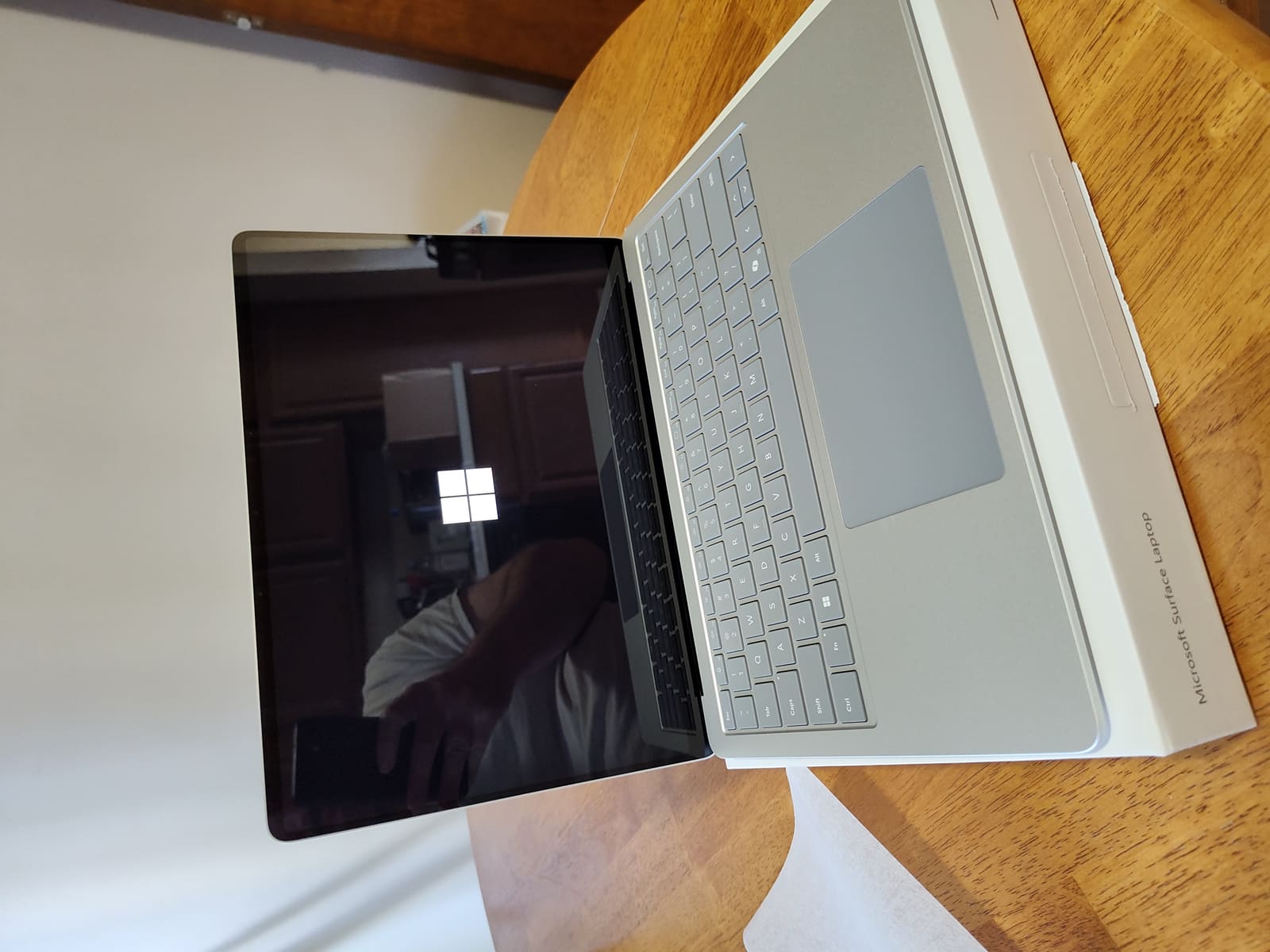
For close to fifteen years, "Windows laptop with an Arm chip" has been a punchline among people who buy computers for a living. Early attempts ran hot, ran slow, and ran almost nothing — app compatibility was so poor that buyers routinely returned units within weeks. The current generation, built around Qualcomm's Snapdragon X Elite silicon and marketed under Microsoft's Copilot+ PC branding, is the first version of this idea that actually deserves to be evaluated on its own merits instead of dismissed on reputation alone. The Surface Laptop 7 is the cleanest example of what this hardware can do, and it's worth being specific about where it succeeds and where the old problems haven't fully gone away.
Why Arm, and Why Now
The pitch for Arm-based Windows laptops has always been about efficiency: Arm chips, built on a fundamentally different instruction set than the x86 processors Intel and AMD have used in PCs for decades, can deliver strong performance per watt, which translates into longer battery life and cooler, quieter operation without a spinning fan. Apple proved this could work spectacularly well when it moved the entire Mac line to its own Apple Silicon chips, and the comparisons between that approach and Intel's aging x86 architecture — the kind we cover in our MacBook Pro vs Dell XPS 13 breakdown — made Microsoft's own hardware partners look increasingly outdated by comparison.
Qualcomm's Snapdragon X Elite is Microsoft's answer to that pressure, and on the raw efficiency question, it delivers. The Surface Laptop 7 routinely posts battery life numbers — often 15 to 20 hours of mixed use — that no comparable x86 ultrabook can match, and it does so silently, with no fan noise even under sustained load, because the chip simply doesn't generate enough heat to need one in most configurations. If all-day battery life without a charger anywhere nearby is your top priority, this generation of Arm Windows laptops is the first one that can genuinely compete with a MacBook on that specific metric.
The App Compatibility Question, Honestly Answered
Here's the part that matters more than any benchmark: does your software actually run? Windows on Arm handles this through emulation — x86 applications that haven't been rebuilt natively for Arm run through a translation layer called Prism, similar in concept to how Apple's Rosetta 2 lets older Mac software run on Apple Silicon. The honest answer, after a full generation of real-world use, is "mostly, and increasingly well, but not universally."
Mainstream productivity software — Microsoft 365, Chrome, most web-based tools, and increasingly Adobe's Creative Cloud apps — now ships native Arm versions or runs through emulation closely enough that most users never notice a difference. Where things still break down is specialized software: certain enterprise tools, older games with anti-cheat systems that don't tolerate emulation, low-level developer tools, and niche industry applications that haven't been updated in years. If your daily workflow lives entirely inside a browser and Office, buy with confidence. If you depend on a specific piece of legacy Windows software for work, check compatibility before you buy, not after — this is still the single most common reason early Copilot+ PC buyers return their laptops.
What "Copilot+ PC" Actually Means
Microsoft's Copilot+ PC label isn't just marketing for Windows on Arm — it's a hardware requirement tied to a dedicated AI processing chip called an NPU, or neural processing unit, capable of at least 40 trillion operations per second. That NPU powers on-device AI features that run locally rather than sending data to the cloud: real-time live captions and translation across any app, an improved Windows Search that understands natural-language queries about your own files, and generative image tools built into Paint and Photos. It's a genuinely different value proposition than Copilot chatbot access, which works fine on any recent PC regardless of NPU — the on-device features are the actual differentiator, and whether they matter to you depends entirely on how much you use live transcription, translation, or local AI image editing day to day.
Worth noting: the cloud-based Copilot assistant that Microsoft has woven into Windows 11 and Office is a separate thing from these on-device NPU features, and it behaves similarly whether you're running Arm or x86 hardware. If your interest is specifically in how well Copilot performs as a daily AI assistant rather than in on-device processing, our comparison of Copilot against ChatGPT for everyday use is the more relevant read, since the cloud assistant experience is identical across Arm and x86 Copilot+ machines.
Build Quality and Everyday Use
Putting the Arm chip aside, the Surface Laptop 7 is simply a well-made computer. The aluminum chassis feels closer to a premium Ultrabook than anything Microsoft's Surface line has shipped before, the keyboard and trackpad are excellent, and the display is bright and color-accurate enough for casual photo editing. It doesn't have the expansion options or the repairability that price-conscious buyers might want — our look at how the Framework Laptop compares to a sealed Ultrabook like the XPS 13 covers that tradeoff in more depth, and the same logic applies here: a thin, silent, fanless design generally means glued-in batteries and no user-serviceable parts.
Performance for everyday tasks — browsing, documents, video calls, light photo editing — is smooth and occasionally startlingly fast, particularly for tasks that specifically benefit from the NPU. Heavier workloads like serious video editing or 3D rendering still favor a well-cooled x86 laptop with a discrete GPU, or a Mac running native Apple Silicon software; the Arm Windows ecosystem for that kind of creative work is not yet as mature as what Apple has built.
Pricing and How It Stacks Up
Pricing for Snapdragon-based Copilot+ PCs generally lands in the same range as premium x86 Ultrabooks and MacBook Air models, rather than undercutting them — this is not a budget category, and anyone expecting Arm hardware to be significantly cheaper will be disappointed. What you're paying for is the combination of battery life, silence, and the NPU rather than a discount. That makes shopping timing genuinely relevant: these laptops do go on sale during the same seasonal windows as other premium hardware, and it's worth checking our broader guide on when in the year laptop prices actually drop before paying full price, since first-generation Copilot+ hardware has already started seeing real discounts as newer chip revisions roll out.
Who Should Actually Buy One
Buy a Snapdragon-powered Copilot+ PC if you want the longest possible battery life in a Windows laptop, you mostly live in a browser and Office, and you're curious about on-device AI features like live translation. Skip it, at least for now, if you rely on specialized professional software that hasn't confirmed Arm compatibility, if you need serious GPU performance for gaming or rendering, or if you simply want the safest, most predictable option — in which case a well-reviewed x86 Ultrabook remains the lower-risk choice for another year or two while the software ecosystem keeps catching up. This generation is the first one worth taking seriously. It's not yet the obvious default.