Input Lag Explained: Why Your Controller and Monitor Combo Feels Delayed
You press the button, and the character on screen jumps a fraction of a second later than it feels like it should. That gap is input lag, and it's one of the least understood parts of PC and console gaming because it isn't caused by any single component you can point to and blame. It's the sum of small delays stacked across your controller, your console or PC, and your display, and understanding where each delay actually comes from is the only way to meaningfully reduce it rather than just guessing at fixes.
The full chain, step by step
Input lag begins the moment you physically press a button. A wireless controller has to sample that press, which happens at a fixed polling rate, then package it and transmit it over Bluetooth or a proprietary 2.4GHz connection to the console or PC, a hop that a wired connection skips entirely. Once the signal arrives, the game engine has to process that input on its next frame, which means the delay depends partly on how fast the game is currently rendering, a game running at 200 frames per second has roughly a 5-millisecond window between frames for input to register, while a game running at 30fps has a 33-millisecond window, a difference that alone can be more noticeable than any other single factor in the chain.
After the game engine processes the input and renders the resulting frame, that frame has to travel to the display, which introduces its own delay through the display's internal processing pipeline, scaling, color correction, and in the case of a television, often additional post-processing that adds noticeably more delay than a dedicated gaming monitor applies. Finally, the display has to physically change the pixels to show the new frame, a step where response time comes into play, closely related to the tradeoffs covered in how variable refresh rate technology like G-Sync and FreeSync handles frame timing. Add all of these stages together, controller polling and transmission, game engine processing tied to frame rate, display processing, and pixel response time, and you get the total input lag a player actually experiences, typically somewhere between 20 and 100-plus milliseconds depending on the specific hardware involved at every stage.
Why TVs are usually worse than monitors
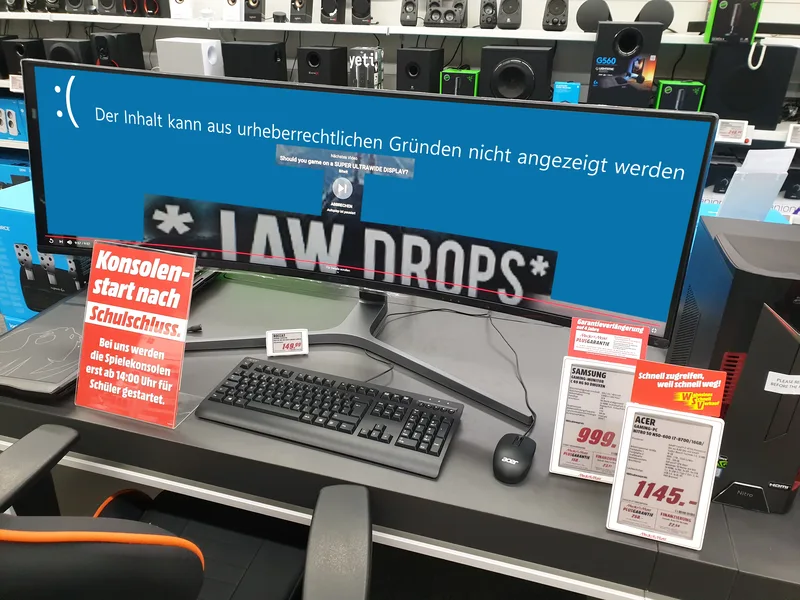
The single biggest input lag difference most console players encounter is switching from a dedicated gaming monitor to a television, and the gap is almost never about panel technology itself. Modern TVs run extensive video processing designed to improve picture quality for movies and broadcast content, motion smoothing, noise reduction, upscaling, that all add processing time a game doesn't need and that actively works against responsive gameplay. Nearly every TV made in the last several years ships with a dedicated Game Mode that strips out most of this processing specifically to cut input lag, sometimes reducing it from over 100 milliseconds down to under 20, which is why enabling Game Mode is the single highest-impact setting change most console players can make and yet it's frequently left off by default because it slightly compromises picture quality for non-gaming content.
Gaming monitors skip most of this problem from the start, built around low processing overhead as a baseline rather than an optional mode, which is part of why competitive players overwhelmingly prefer monitors over TVs even when a TV's larger screen or better contrast would otherwise be appealing. Response time claims on monitor spec sheets matter here too, though marketing numbers are frequently measured under ideal conditions that don't reflect real gray-to-gray transitions across the full color range, similar to how refresh rate and response time claims on monitor boxes often overstate what you'll actually perceive during normal play.
Wireless controllers, latency, and why it's rarely the real problem
Wireless controller latency gets blamed for input lag more than almost any other factor, but it's usually the smallest piece of the chain on modern hardware. A well-implemented 2.4GHz wireless connection, the kind Xbox and PlayStation controllers use rather than standard Bluetooth, typically adds only a few milliseconds of delay, often less than the difference between two frame rates in the game itself. This isn't the same underlying issue as controller stick drift, which is a mechanical wear problem in the analog sticks rather than a timing issue, though both get lumped together by frustrated players as "the controller feels off" without realizing they're describing two unrelated problems. Bluetooth connections, more common on PC when pairing a controller directly rather than through a proprietary USB dongle, can introduce more noticeable latency and occasional connection instability, which is why competitive PC players who use a controller generally prefer a wired connection or a manufacturer's dedicated wireless dongle over standard Bluetooth pairing.
What actually helps
The most effective, lowest-effort fix is enabling Game Mode on a TV or confirming a monitor's low-latency mode is active, since this single setting typically accounts for a larger reduction in input lag than any hardware upgrade. After that, frame rate matters more than almost anything else in the chain: a higher, more stable frame rate shortens the window between when you press a button and when the game engine can act on it, which is part of why competitive players chase high frame rates even on displays that can't show the full benefit in visual smoothness, the responsiveness gain alone is worth it. Using a wired controller connection when latency genuinely matters, avoiding unnecessary post-processing settings in both the display and the game itself, and choosing a monitor over a TV for competitive play round out the list of changes that produce a real, measurable difference rather than a placebo one.
The bottom line
Input lag isn't caused by any single villain component, it's the accumulated delay across a chain of hardware and software stages, controller sampling and transmission, game engine processing tied to frame rate, display processing, and pixel response time, each adding its own small piece to the total. Most players can meaningfully cut their input lag with free settings changes, primarily enabling a display's Game Mode or low-latency mode, well before spending money on new hardware, and understanding which stage of the chain is actually responsible for a sluggish feeling is far more useful than assuming a new controller or monitor will automatically fix it.